As Forbes Vetted’s consumer tech editor (and avid gamer myself), I know firsthand that a great gaming TV can create a truly transcendent experience, whether it’s making sure the action in Red Dead Redemption II plays as smooth as butter or making the colors in Super Mario Bros. Wonder pop. I spent several months testing over a dozen TVs, paying close attention to how they handle gameplay on my PlayStation 4 Pro and Nintendo Switch, as well as cloud gaming on Amazon Luna. Ultimately, I determined that the best gaming TV overall is the : It features high refresh rates, virtually no input lag and seamless connectivity to your favorite consoles and cloud gaming services. Plus, it has the brightest picture of all TVs I tested (without feeling blinding).
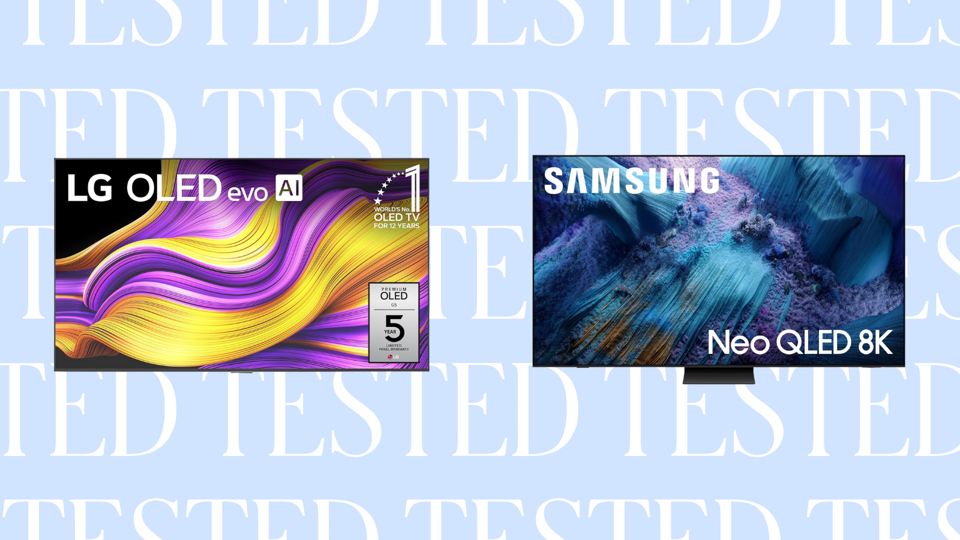
Because there’s no supply shortage of great displays available right now, there were four other gaming TVs that scored well during my testing. This includes the value-packed , which features a gorgeous picture for under $700, and the , a gaming TV that feels tailor-made for the PlayStation 5. Read on to see all of the best gaming TVs, according to my rigorous testing:

Best for:
- Enjoying games with a crisp, bright picture
- Making the most of a large living area with a wide viewing angle
- Cloud gaming with virtually zero lag
Skip if:
- You want good built-in audio
- You don’t want to constantly switch modes
- Dealing with a love-it-or-hate-it remote is a dealbreaker
After testing the for three weeks, I have concluded that it’s the best gaming TV you can buy right now. Its bright and vivid picture coupled with its smooth gameplay make it hard to beat.
A Brighter Screen Than Its Predecessor
LG doesn’t share the brightness of the TV in nits, instead asking users to do the testing themselves. However, the company shared that new back panel technologies increase the LG G5’s brightness by 45% from its predecessor (my former top pick, the ). Based on my testing, it’s definitely brighter than the G4, and it showcases well in my living room—rain or shine. But the other important note? It’s brighter without feeling like I need to wear a pair of sunglasses when I’m gaming. That’s a pretty impressive difference when pitting the LG G5 against not only its predecessor but the competition.
Upgraded Remote Is Better, But Not Perfect
One of the biggest changes to the TV is the new remote design. I’ve always felt that LG remotes are the biggest pain to contend with: I often accidentally pressed the scroll button on the LG G4, which turns the remote into a mouse-like scroller. The new remote design tamps down on some of those accidental presses by making it more flush with the rest of the buttons, but it’s still not quite perfect. I also noted two more things: The remote doesn’t have a backlight, and I didn’t see any HDMI input button.
The former is a minor gripe, but the latter leads to a bigger problem, especially since my husband and I frequently swap between his PlayStation 4 Pro and my Nintendo Switch 2. Plan to press the home button and navigate to your console on this TV if you have a similar console setup. If you’re a cloud gamer, this won’t matter, though, and the great news is the LG Gaming Portal is easy to access from the home screen and still comes with the main platforms, including Xbox Connect, Nvidia GeForce Now, Amazon Luna and more.
Stunning Visuals And Smooth Gameplay
Shows like House of the Dragon and Fallout show well on-screen, hitting all the colors in Filmmaker mode. As a gamer, I was wowed by the Game Optimizer mode. That said, make sure you take some time to calibrate the TV to your preferences; had I not taken 20 minutes to finagle the settings, night scenes in Yakuza: Like A Dragon Ishin! would have been nearly impossible to play. It’s not just in the TV calibration settings; plan to open the Game Optimizer interface to make minor adjustments, too. The TV comes with an AI Picture Pro mode, too, but spend the time calibrating in lieu of using this feature.
As with the older G4, the G5 keeps that native 120Hz refresh rate for smooth, responsive gameplay. Another component that comes into play with that new back panel technology? Color quality. Again, LG doesn’t fully release the numbers, but I found during testing that when playing Mario Kart World on the Nintendo Switch 2, the colors looked vibrant and accurate, with bright colors showcasing beautifully on the OLED display. Additionally, when I tested Arkham Knight via Amazon Luna, the dark, moody Gotham cityscape showed beautifully.
If you’re mainly a cloud gamer, the LG G5 is the TV I would recommend. On that front, I mainly tested Amazon Luna, and I focused on action-heavy games to note potential input lag, but I never experienced any. Running around and fighting as Batman felt smooth and responsive.
The Downside: You’ll Need A Soundbar
LG’s audio profile has been historically weak and tinny, and the G5 unfortunately continues this trend. You can opt for AI Sound Pro, but again, it sounds very tinny. But once you add in a soundbar, it’s the best gaming TV you can add to your home right now.
Best for:
- Getting the most out of your PlayStation 5
- An incredible picture
Skip if:
- You don’t want to deal with software glitches
- Spending time finagling the settings sounds like a waste of time
At first glance, I really didn’t like the , Sony’s latest OLED panel. I found the picture too smooth, too dark and too blue. That’s the biggest drawback to this TV: You have to take a deep dive to adjust the settings to get the best possible picture—and it takes a good 15 minutes to get everything set up. That’s not the end of the world, though, and if you have the patience to adjust the settings, the Sony Bravia 8 is my favorite panel to come out of the Sony family in quite some time—not to mention, it’s great when paired with the PlayStation 5.
Gorgeous, Game-Ready Panel
Its picture is stellar for gaming and streaming my favorite content. During testing, games like The Legend of Zelda: Echoes of Wisdom looked simply gorgeous on screen, with incredibly smooth gameplay and graphics to truly immerse me into gaming. The same went for other games like The Legend of Zelda: Breath of the Wild and Mass Effect: Andromeda.
Optimization Options For PlayStation Games
By far, Sony’s connection to PlayStation makes this television my top pick for the best TV for PlayStation 5. It comes with a dedicated gaming hub that allows you to adjust settings as you need to. Want a more robust refresh rate? You can adjust as you game by turning on the variable refresh rate (VRR). You can also tweak your black levels, screen size and more. If you want a dedicated crosshair for first-person shooter (FPS) games, you can add one of those, too. I also appreciated that, because it’s designed for PlayStation, the TV automatically registered when I swapped over to gaming and enabled the dedicated Game picture mode. From there, I could adjust to RPG and FPS modes to enhance my gameplay experience.
Comes With Audio Hiccups, But They’re Not A Dealbreaker
That said, there are a few minor issues with the Sony Bravia 8 that gave me pause. For one: If you have an older soundbar that uses optical inputs, as I do, the TV may not fully register the input. I had a couple of experiences where the TV randomly swapped from my old Samsung soundbar to the built-in speakers. It wasn’t an, “I can’t live with this,” situation like I’ve experienced with some other panels. It’s more annoying than anything, but the speakers on this TV are surprisingly good, with subtle panels in the back that blend in seamlessly.
The audio, no matter what I chose, had a minor delay where I would start any content and it wouldn’t fully sync for a few seconds. It righted the ship after a brief pause on screen, but it’s worth noting that I couldn’t get this to go away even after troubleshooting with Sony.
Best for:
- Getting a great picture without spending a fortune
- Enjoying your content in bright spaces without sacrificing your picture
Skip if:
- You don’t want to deal with software glitches
The is a great example of everything I want in a TV—with one major caveat (more on that later). It’s also significantly less than other TVs in this guide, making it a solid pick for budget-minded gamers.
High-Quality Picture For The Price
The picture was great, which I attribute this to a few things. Hisense has really nailed the picture quality without raising the price. It comes packed with HDR10, Dolby Vision and HDR10+, among others, so no matter if you’re streaming—or, in my case, gaming—the panel looks gorgeous. During testing, it was also borderline too bright. The only other TV in which I felt I needed to toss on a pair of sunglasses during my testing was the LG G4, and this TV reaches those levels of brightness. It’s great for bright spaces—not so much for dark spaces, where I don’t want to be blinded. Still, you can adjust the settings if you don’t want to deal with the sky-high brightness.
The contrast and color saturation look great for gaming on this display, with games like The Elder Scrolls V: Skyrim showing cave scenes with great clarity. I had a similar experience with Mass Effect: Andromeda showing the details very well, especially when nighttime came on the icy planet Voeld. I didn’t feel like I was losing any details in darker moments of each game, which, considering all the dimly lit sewers I ran around in Riften during Skyrim, just speaks to how good this TV is. The Google TV is exactly the same, but there were moments where, thanks to the minimal amount of blooming, I had to do double takes to remind myself this was a mini-LED panel, not an OLED display.
My Biggest Annoyance: A Software Glitch
There was one major issue I ran into with testing this panel and with another Hisense panel, which is worth mentioning. Every so often, the display “turns off”—it blacks out for a split second, then comes back on as if nothing happened. At first, I thought I was imagining it, but a deep dive into Reddit forums confirmed my suspicions: This is a software issue, and Hisense has yet to address it. I know, I know: Why am I recommending a TV with a major software glitch? To be frank, almost every single TV I’ve tested this year has had some kind of software issue that hasn’t been addressed. It’s just about finding the one that will annoy you the least. If you can stomach this issue, this is my top budget pick.
Best for:
- Its incredibly detailed and rich picture—8K shines on this display
- A cable-free TV setup
Skip if:
- You need a size smaller than 65 inches
- You don’t want to drop thousands on a display
- Samsung Vision AI feels like a frivolous upgrade
The is Samsung’s latest 8K panel, and it has plenty of features that left me impressed, from its life-like picture to its untethered design.
Upgraded Design That’s Cable-Free
The TV uses Samsung’s One Connect Box, or the box that has the processors and other components to help the TV think. In previous models, this box needed to be connected via a cable to the TV. You could place it on your TV console stand, which left an unsightly cable, or you could slot it in a built-in spot behind the TV panel. The Samsung QN990F no longer needs to be connected via that cable; instead, you can tuck the entire box and cable system inside your console table or off to the side for a wholly wireless setup. I’m a huge fan of that upgrade, but also of the TV’s general design, which includes a metal frame around the TV. Everything feels and looks premium about this new display.
Churns Out Vivid Colors That Jump Off The Screen
The picture is the best part about this TV. The QLED panel showcases gorgeous, rich, accurate colors, and as cheesy as it sounds, they feel like they’re about to pop off the screen. While I was wholly impressed watching Arcane’s smooth fight sequences, gaming looks lovely on this TV as well. Samsung’s Glare Free technology is also offered on this display, which helped keep the picture bright and crisp during testing, no matter the time of day.
The TV doesn’t come in any smaller sizes, so the smallest panel you can get is the 65-inch model, but the larger sizes are worth it: The TV will require some minor calibration, but it’s not as egregiously off-mark as other panels I tested. There’s also another important thing to note here. As of right now, there still isn’t a lot of 8K content. The TV relies on Samsung’s AI upscaling to turn your 4K content into 8K, and that may feel like overkill or a turnoff if you’re worried about varying picture quality. I felt the images and picture were fine, but your mileage may vary here.
High Price Tag May Deter Some Gamers
Still, that premium picture also happens to sport a premium price tag along with it. For that price, and for gamers specifically, there’s another downside. One of the biggest upgrades to the Samsung TV lineup this year is Samsung Vision AI, which has a slew of new AI-based features. Still, many of these features won’t apply to gamers. Live Translate, which automatically translates, is only available for broadcast TV sports, and the Click To Search is limited to Samsung Plus TV channels, and as of right now, it shows minimal information. It’s a shame, because I could see myself using it to search names of voice actors, level walkthroughs and more if Samsung Vision AI ever expands into the gaming sphere.
Best for:
- Excellent reflection handling thanks to the Glare Free technology
- A great blend of general viewing and gaming features
Skip if:
- Picture quality is a priority—it isn’t quite as good as OLED
- Dolby Vision is a must-have
- Samsung Vision AI feels like a frivolous upgrade
The is a bright TV that was bred for the brightest living spaces. Plus, it’s packed with a decent picture quality for gaming, so you don’t have to sacrifice performance too much for a brighter screen.
Designed With Sunny Spaces In Mind
This TV uses a combination of bright Mini-LEDs and the Glare Free display to minimize reflections and keep the picture crisp for sunny living rooms. While Samsung doesn’t share the nits brightness, after testing, I felt it was similar to the Hisense U8N in that it features a sky-high brightness; however, it differs in that I didn’t feel the need to put on my sunglasses as strongly. There are moments, but they’re fewer and only come into play during the brightest sequences.
Decent Pictures And Visuals For Gaming
The picture quality is pretty solid straight out of the box and only requires some minor calibration adjustments. I attribute this to the QLED panel; historically, I find QLED easier to calibrate. Once you do, colors look simply gorgeous. Season one of Arcane handled moody action sequences well and did a solid job of handling sudden pops of color. For gamers, colors on Lego Star Wars: The Skywalker Saga looked vibrant without feeling overpowering, but there are a few things to note here.
First, Samsung doesn’t offer Dolby Vision, and instead opted for HDR10 and HDR10+. If you’re a die-hard fan of Dolby Vision for gaming, this could be a dealbreaker for you. Personally, I felt the picture quality was fine for most needs—only heavyweight cinephiles will notice a difference here. Second, this is a QLED panel, and for gamers who are seeking the most crisp, vivid picture possible, the self-lit pixels of an OLED panel will outshine a QLED panel any day. That’s not to say the Samsung QN90F isn’t good—it’s a stellar TV. But this is a TV built for a blend of needs, namely a bright space, a solid picture and smooth gameplay, and it nails this particular set of features.
Samsung Gaming Hub And More
Like the LG panels I tested, Samsung offers the Samsung Gaming Hub. Connect your preferred controller and you can game on your favorite cloud gaming apps, including Amazon Luna, Blacknut and more. I didn’t experience any issues with gameplay. PC gamers who want to connect their TV should also note that the Samsung QN90F can boost from 120Hz to 165Hz by using Motion Xcelerator. The same goes for those connecting VRR equipment.
Samsung’s Vision AI also comes with this TV, but again, it feels frivolous if you’re mainly using this panel for gaming. Still, you may find it useful if you stick to the Samsung Plus channels when you’re not blasting your way through the latest FPS games.
Other Gaming TVs I Tested
Over the course of several months, I’ve tested over a dozen TVs, from QLEDs to OLEDs and Mini-LEDs in my sunny living room. I considered plenty of different features including refresh rates, picture quality, cloud gaming service features and more. While these panels didn’t make the cut, they’re still worth mentioning. Here are some other gaming TVs I tested.
- (Forbes Vetted score: 9 out of 10): Samsung has truly built an impressive, perhaps future-proof television with the QN900D. Where it fell apart for me was Samsung’s Gaming Hub. During my testing, the Xbox Game Pass cloud gaming left Star Wars Jedi: Fallen Order looking pixelated. You can read more about this TV in my full Samsung QN900D Neo QLED 8K TV review.
- LG G4 OLED TV (Forbes Vetted score: 9 out of 10): The LG G4 TV is my former top pick: when I played Assassin’s Creed Valhalla, colors looked bright and accurate on-screen, with fast, smooth gameplay. That said, the new back panel technology in the LG G5 outshines that of the G4. If you’re interested in learning more about this panel, you can read my full LG G4 OLED TV review.
- Samsung The Frame Pro (Forbes Vetted score: 8 out of 10): The Samsung The Frame Pro is what’s called a “lifestyle” TV. While it displays movies, pictures and art well, I found Gaming Mode saturation levels to be too strong. You can adjust it, but I really wanted the Gaming Mode to mostly work out of the box.
- Roku Plus Series TV (Forbes Vetted score: 8 out of 10): Personally, I loved this TV—as a general, all-purpose display. My games looked good, with colors feeling nicely contrasted. Could it be better? Absolutely, but it costs just three figures, making it a solid budget pick. However, its mere 60Hz refresh rate can cause some screen tearing and less-than-smooth motion on the display during AAA gameplay. Read more about my experience in this full Roku Plus Series TV review.
- Panasonic W70B Mini-LED Fire TV (Forbes Vetted score: 7 out of 10): The Panasonic TV is good enough for casual gamers, with a 60Hz refresh rate and a pretty decent picture. Heavy gamers should plan to look elsewhere, but if you’re playing games like Stardew Valley or any of the Lego franchise, it suits just fine. The 55-inch panel I tested is also ideal for smaller spaces—because it’s a Mini-LED, the viewing angles are very narrow.
- (Forbes Vetted score: 9 out of 10): This TV has a crisp, clear picture with a wide viewing angle. While it comes with a host of great features, the newer LG OLED Evo G4 and G5 come with upgrades that make it more intuitive and brighter. As a result, this one has been pulled out of the top billing, but it’s still a great gaming TV. You can read more about this TV in my LG G3 OLED TV review.
- Samsung S95C OLED TV (Forbes Vetted score: 9 out of 10): I learned that the Samsung S95C OLED packs a lot into this TV during my testing, making it a great splurge pick for any gamer’s home. That said, the S95D OLED features enough improvements that it edged out the S95C from the premium spot. For further insights, read my Samsung OLED S95C TV review.
- Hisense S7 CanvasTV QLED (Forbes Vetted score: 8 out of 10): Like its sibling, the Hisense U8 Series, this TV came with some blackout glitches. Software issues aside, it’s still lovely for those who want a combination of a lifestyle TV and a gaming panel. The picture looks smooth thanks to that 144Hz refresh rate, and the colors look good. Just note that you may run into some issue with darker visuals in bright rooms.
- TCL Q7 QLED TV (Forbes Vetted score: 8 out of 10): This TV came packed with a plethora of features for the best viewing experience. When I pulled up Star Trek: Strange New Worlds the first night I set it up, I was blown away by the visuals. One thing to note though, you’re not going to get cloud gaming unless you download the apps from the Play Store. It’s not a deal breaker, but if you’re seeking a dedicated gaming hub like LG or Samsung offers, TCL doesn’t offer that on this panel.
How I Tested The Best Gaming TVs
Whether we’re gaming, streaming or just enjoying their ambient mode while we work, many of us keep our TVs on for a good portion of the day. While I test plenty of audio equipment, wearables and more, TVs and home entertainment is my true passion. Since 2022, I’ve tested most TVs on the market, including every flagship model from LG, Samsung and more. Here’s how I tested each gaming TV.
Gaming Consoles And Cloud Gaming
Odds are that you’re probably playing on at least one console, so I tested a lot of different games using two different consoles. Here’s a list of the devices and services I used during testing, as well as the games I played:
- PlayStation 4 Pro: On this console, I played Red Dead Redemption II, Yakuza: Like a Dragon Ishin! and Horizon Forbidden West.
- Nintendo Switch (and Nintendo Switch 2): I played through many different titles, including The Legend of Zelda: Breath of the Wild, The Legend of Zelda: Echoes of Wisdom, Super Mario Bros. Wonder, The Elder Scrolls V: Skyrim, Stardew Valley and many, many more.
- Amazon Luna: I used my Amazon Luna controller and connected it to each TV. From there, I used the Amazon Luna cloud gaming service to test cloud gaming. Because the library of free games frequently rotates, and so I’ve tested across a bunch of different games and genres. Some of the cloud games I’ve used for testing include Arkham Night, Star Wars Jedi: Fallen Order, Arise: A Simple Story, Starfield and more.
Lighting Conditions And Brightness
I reviewed display quality under various lighting conditions, from sunny afternoons to dark, late-night gaming sessions. I also paid attention to calibration settings, adjusting them before and after to observe how brightness performed in various lighting conditions (morning, evening and night). Because each TV brand offers a different operating system, I took ease of use into account, too.
Picture Quality
I considered how the picture looked and performed across many different games. Odds are you’re using your TV to watch content, too, so I also considered how a picture showed across various TV shows and movies. In addition to the games I played above, some of the shows and movies I tested on were Arcane, House of the Dragon, Modern Family, Mad Max: Fury Road, and The Last Of Us. I considered saturation levels, white balances, tints, gamma settings and more. I also took the time to calibrate each TV to get a sense of how the picture quality looked before and after adjustments.
Audio Quality
I checked the audio as the panel stood—no soundbar connected—to make sure that the TV provided adequate audio quality. I made note of any deficiencies as well as any audio booster technologies and cross-tested these to see how they compared when gaming and streaming.
Finally, I cross-checked the specs on each of the TVs I tested and reviewed their warranties. In light of my testing, I feel all the TVs on this list will last for years to come, and they have software features that make them amenable to smart gaming and smart home living.
Why Trust Forbes Vetted
For years, we’ve been testing and reviewing all sorts of screens—and we have our robust library of tech and electronic guides to prove it. By leaning on our hands-on testing and in-depth research, we’ve written dozens of TV stories and compiled tens of gaming roundups, each focused on providing the most up-to-date advice for our readers.
- Forbes Vetted consumer tech and electronics editor Rebecca Isaacs is the author of this guide. With more than six years of experience as a tech and home entertainment specialist, she’s tested more than a dozen TVs, including all of the gaming-centric models listed above. In addition to firsthand testing, she covers many of the latest panel launches, traveling far and wide to get the scoop on the newest display technologies. At times, she has partaken in demonstrations where TVs have been dissected down to their processors and dimming zones to learn about their inner workings. Aside from her affinity for TVs, she’s an avid gamer who has tested many of the top gaming consoles.
- Forbes Vetted executive editor Dave Johnson, who reviewed this guide, is a veteran tech journalist with decades of experience in the field. He’s authored nearly three dozen books on technology and photography, and like Isaacs, he is well-versed in the latest TV technology. To stay up to date on the latest TV trends, he regularly attends trade shows, like CES.
- To supplement our own expertise, we interviewed additional experts to get their insights on gaming TVs. In particular, we spoke with Avi Greengart, CEO and founder of the technology consultation company .
- We regularly revisit this story to reevaluate our gaming TV picks and add new testing insights. It was last updated in July 2025 by Forbes Vetted tech updates writer Alexandra Garrett to answer further questions about finding the right gaming TV for you.
What To Look For In The Best Gaming TVs
When it comes to gaming, there are a few important features you should know before you add one to your cart.
Resolution
Nowadays, most gaming TVs have one of three resolutions: Full HD 1080p, 4K or 8K. Generally, the further you move up that list, the better picture. We breakdown their differences in more detail below.
- Full HD 1080p TVs: These sets are the baseline these days. Although visuals are less refined than 4K and 8K TVs, these models can still provide a smooth gaming experience. They’re also great for casual viewing. But for gamers, you can get a 4K resolution without spending much more.
- 4K TVs: I recommend this resolution for most gamers, as they provide sharp visuals that are more detailed than those on 1080p TVs and similar speedy refresh rates that can tackle nearly any game. For those reasons, the majority of TVs in this guide feature this resolution.
- 8K TVs: Models with this resolution deliver incredibly sharp visuals, but their benefits for gaming may be limited; most current gaming content is delivered only in 4K resolution, so the jump to 8K might not result in a significant improvement in gaming quality, as the TV will have to upscale your gaming content. They’re also more expensive than most 4K TVs.
Refresh Rate
A refresh rate is how quickly a TV’s display refreshes, which is important for playing AAA titles. “Having the highest refresh rates (how quickly the TV updates the image on screen) can make it easier to play games that require the fastest reflexes, like first-person shooters,” says Greengart. The good news: Most gaming TVs ship with a 120Hz refresh rate, but there are some that only offer 60Hz.
You want a 120Hz for most needs: Animations are smoother, controls feel more responsive and fast action looks much crisper than on a standard 60Hz set. Some TVs ship with a 144Hz and some boast a 165Hz refresh rate. Since only gaming PCs can handle those kinds of frame rates and it’s not compatible with the latest Xbox Series X/S and PS5 consoles, going for a 120Hz refresh rate is your best bet.
OLED Versus QLED Versus Mini LED
There are three display types on the market right now: OLED, which consists of millions of self-lit pixels on a panel; Mini-LED, which consists of millions of Mini-LED lights and hundreds, if not thousands, of dimming zones; and QLED, which is a Mini-LED panel with what’s called a “quantum dot layer” to help enhance the image on the Mini-LED panel. They each have their advantages, according to Greengart. “The different display technologies dictate how bright the TV can be—both for regular content and high dynamic range (HDR) highlights, and how much contrast the image can have,” he says.
- OLED: These TVs have the best contrast ratio, the lowest input lag and the most vibrant colors of any of the technologies—all components that are necessary in a gaming TV. But they aren’t as good in brightly lit rooms and are at risk of burn-in (an area of permanent discoloration), which could be an issue if you frequently play the same game for extended periods of time.
- Mini-LED: TVs with this display technology get much brighter than OLED models, making them a better choice if you game in a sunny room. They’re also great for HDR gaming, but they don’t have local dimming that’s as nuanced, and the contrast isn’t as strong as on OLED TVs. In other words, deep colors and black tones won’t seem as vivid on Mini-LED TVs.
- QLED: This TV type has a slightly darker image than Mini-LED TVs thanks to its quantum dot layer. QLED TVs showcase deeper colors and contrast—and they also happen to be brighter than OLEDs, too—which makes them a solid option for gamers seeking a TV that’s both bright and colorful.
Viewing Angles
If you play by yourself, the TV’s optimal viewing angles aren’t too important, since you’ll likely position yourself right in front of the TV. If you want to play with others, make sure the TV’s picture for people on the periphery is as good as it is for those positioned right in front. OLED TVs offer wide viewing angles, with no real degradation in color quality or brightness near the edge of the screen, while some Mini-LED and QLED TVs can look significantly worse past the 50-degree mark.
Input Lag
If you play games competitively or want to play games that feel as responsive as possible, then a TV with a low input lag is a must. Higher input lag can make controls feel mushy and lack urgency, so the lower you can get your input lag, the better off your gaming experience will be. OLED TVs typically have excellent input lag, but most Mini-LED and QLED TVs targeting gamers do, too. Low input lag is especially important if you want to play against anyone head-to-head, or you might find yourself blaming your slow TV when you lose.
Screen Size
The most ideal TV screen size depends on your viewing distance and personal preferences. For a more immersive experience, many gamers prefer larger screens—a popular range is 55 to 65 inches. However, if you’re sitting close to the TV, a 40- to 50-inch screen might be more suitable. Consider the balance between size and your gaming environment to ensure an optimal and comfortable viewing experience.