Digital communication may dominate, but when it’s time to sign forms, print photos or handle real paperwork, printers still matter. To find the best home printers, our team tested more than a dozen printers for more than six months. After printing and copying hundreds of pages, scanning documents and more, we named the the best home printer overall thanks to its fast, reliable printing and an intuitive, integrated app. Read on to see all the printers we tested and learn about our testing methodology, which involves attention to initial setup, ease of pairing with devices, print speeds, range of features, reliability over time and more.
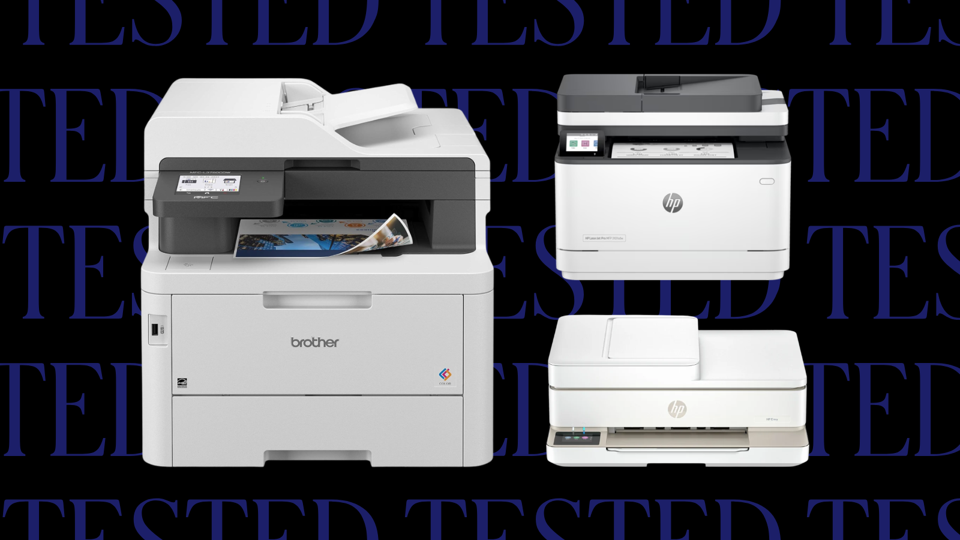

The takes the top spot for best home printer overall: It has the best blend of printing quality, price and speed to get print jobs done efficiently.
Clear Printing And A Convenient Mobile App
Grayscale and color print jobs came out looking sharp and clear, especially when printing radial gradients. For those who frequently work from their mobile device, you can use the HP Smart App to help you print; our tester loved the app because it was convenient and easy to use. Another nice perk: For parents, the HP Printables located in the app allows you to source and print DIY coloring books for your kids. It also comes with three months of the HP Instant Ink subscription, which detects when you’re low on ink and automatically orders it for you starting at $1.49 per month. (But unless you’re printing ream after ream of paper, we recommend against this subscription model.)
Not The Fastest, But The Print Quality Is Unmatched
Our tester timed printing from her PC, and it took 35.6 seconds from pressing the print button to the last of a six-page test landing in the tray. From the moment the first page hit the tray, it took 23 seconds, so it lines up pretty closely with HP’s claim of 22-second print jobs for its “normal” quality setting. It’s not the fastest device in comparison to the other printers tested, and it slows considerably if you put it on the “best” print setting, but it was the most consistent in terms of print quality. Our tester noted that on occasion the print jobs didn’t print in order. If you’re printing large amounts of paper, you may want to consider another printer, but it didn’t happen often enough to warrant too much concern.
The Downsides: Heavy, And Pricey To Maintain
The top lid for the scanner is heavy, and you need to fully open it for it to stay in place. Otherwise, it slams right back down. The HP OfficeJet Pro 9125e features an intuitive 2.7-inch touchscreen display, though for those with larger hands, it may be in your best interest to opt for a home printer with a larger display. It’s also important to note that the ink cartridges are the real cost driver here: The replacement set of four EvoMore ink cartridges costs $239. Assuming HP’s claim is accurate, that the black cartridge prints up to 2,500 pages and the color 1,650 pages, this amounts to three cents per black and nine cents per color page.
The 2026 Forbes Vetted Best Product Awards are here: Explore our 150 top-recommended items across categories after extensive research and testing.
The is a great choice for those who don’t want to spend a fortune on a printer. For a supposedly “no frills” all-in-one printer, our tester felt that it was packed with features, including faxing for those that need it.
A Compact, Low-Profile Build
The Envy 6555E a hefty beast; our tester was surprised at its weight but felt it was still a lower profile compared to other options on the market. Setup was mostly easy, but she noted that, “you have to push upward instead of downward to install the cartridges,” a counterintuitive step that prolonged the process a bit. The small touchscreen display on the bottom left corner of the machine showed our tester the progress of the print jobs and error messages to help with troubleshooting.
Slow Start, But It Speeds Up (A Little)
The biggest drawback here is print speed. Both monochrome and color print jobs come out very slowly. It takes 70 seconds for the printer to start printing the first page. A 10-page monochrome double-sided print job took about three minutes. Once the machine “warms up,” though, it prints faster: The test page that took 70 seconds to warm up took 20 seconds to print. It’s still not fast, but if you’re only printing the occasional page, this printer will suit your needs just fine.
Excellent Value For The Price
The all-in-one model can print, copy, scan and fax, and the HP smart app allows you to scan and print from your mobile device. Colors and prints are high quality, and for the price, it’s hard to beat. Our tester noted that, “I’d recommend it for people with slightly more cramped desk space and people with tighter budgets, like students.”
Bulky, But Feature-Packed
If you need a do-it-all printer for your home office, the can print, copy, scan and fax, and it also has intuitive phone functions to help you scan and print from your mobile device. It takes up a ton of space, according to our tester, but it feels “targeted at a small business” or “an especially busy household—perhaps with a few teenagers who need to print a lot for school.”
Average Print Speeds, But Seamless Mobile Connectivity
The print speeds are a little slower compared to other units we tested: It takes 45.5 seconds from pressing the print button to the last page of a five-page job landing in the tray, but it spews out smaller print jobs in as little as 25.1 seconds. Most of that time comes from the printer booting up, since once the first page began printing for the three-page job, it took 8.6 seconds. There’s another factor playing into these times, too; our tester also noted that these print times are averages, since the jobs varied widely during testing. The printer also works seamlessly with your phone to print, scan and send documents back and forth between devices, and it comes with cloud integrations.
A Secure, High-Volume Option For Office Use
This also comes with a unique feature ideal for small businesses: Near-field communication (NFC) authentication for extra security. It has three different paper trays, including a 30-page multipurpose tray for envelopes and other media. You can also use Brother’s Refresh EZ print subscription to automatically send you replacement cartridges when the printer senses your ink is low, and our tester notes that the printer offers a complimentary first four months’ service. That said, it’s pretty expensive at $570. If you only print a page every so often, this is not the printer for you. If you’re seeking a printer that can handle volume and has extras like programmable shortcuts and the ability to fax, then you can’t go wrong with the Brother MFC-L3780CDW.
Six Months Later: Tracks Pages Printed
After more than half a year using this printer, our tester hasn’t experienced many issues with the Wi-Fi connection or with resetting or waking issues. Paper jams were rare, though he noted the MFC-L3780CDW “sometimes has trouble pulling paper from a tray that’s close to empty.” Our tester found the printer tracked pages printed instead of how much toner actually remained in the cartridge. “I found that can mean you’re told to replace it when there’s still a substantial amount of toner remaining,” he said.
A Sturdy And Intuitive Design
The is a solid choice for those who need a fast, feature-rich printer and are willing to pay a little extra for it—though not quite as much as the price of the . The overall design is sturdy and compact, but the paper tray feels a little flimsy. There’s a small LCD display with physical buttons to direct the printer to copy, scan and print. Otherwise, using these buttons in conjunction with the display felt intuitive as our tester printed jobs from both his laptop and the HP Smart App.
Speedy Printing With Comparable Features As Our Top Pick
Printing is pretty speedy on this device: It printed six pages in 32 seconds from the second we pressed the print button. HP says the first page comes out in as little as 6.6 seconds, but when we tested a three-page print job, we noted that the entire job took 23 seconds from pressing print on the PC. From the first page to the final page landing in the tray, we timed six seconds, so there’s a bit of a disconnect here. During the entirety of our testing, we also noted no jamming issues. Like our top pick, the , the software allows you to scan to email, a network folder and to a USB drive. It also allows for remote printing and has support for Google Drive and Dropbox, which our tester liked.
Automatic Double-Sided Printing, But No Color
One major perk is that it makes double-sided prints automatically—no need to print one page and then finagle the paper tray to print the other side. However, we found one caveat that may give some pause: it only offers black-and-white printing.
The is solid and sturdy—but according to our tester, the black plastic surface is prone to smudge marks. It has both an automatic and a manual feeder so you can print a host of mixed media as needed, from envelopes to labels. The buttons are big and the display is basic, making it easy to operate.
Fast And Clear Black-And-White Printing
Our prints came out cleanly without smearing. The print speeds were also pretty fast; it took 24 seconds for six single-sided pages to print from pressing the print button to the last page finishing. From the first page hitting the tray, it took 13 seconds on average. Double-sided printing was little longer; a three-page double-sided print job (so effectively six pages) took 35 seconds in total. The printer also comes with a built-in app that allows you to print from your mobile device. During testing, this was the speediest option of all: 22 seconds from start to finish, and once the printer booted up, it took five seconds for a photo to print. But that comes with a serious caveat. It can only print in monochrome, so don’t expect any color. It can handle 4,200 pages before the toner requires a replacement, and you can opt into the Brother Refresh EZ Print Subscription, which can reorder toner for you when it gets low.
No Scan Or Copy Options (And Some Firmware Bugs)
There are a few major drawbacks to the Brother HL-2460DW XL. For one, it only prints, so you can’t scan or copy. That said, our tester liked that it didn’t offer these features, as it didn’t feel overwhelming when you’re only worried about printing. Another issue is the firmware—both Brother HL-2460DW models had firmware update issues that required a detailed deep dive with customer service to fix. If you can stomach this issue, this is a great printer to get most jobs done.
Six Months Later: No-Frills But Reliable
After six months of daily printing, our tester said the printer worked “exactly like it did when I first received it.” The cost-per-page felt reasonable and the printer required no maintenance. She also noted it was free of many common printer problems, like a slow power-up process or a poor Bluetooth connection. “The best printer is one you can set and forget, and this printer has been that for me,” our tester says.
The wowed our tester with its clear, vibrant images and speedy printing times—it churned out a six page document in less than 30 seconds. Like other Brother printers on this list, the MFC-J5855DW has a solid and sturdy build that can withstand heavy home office use.
Automatic Double-Sided Printing
The Brother MFC-J5855DW shares a similar feature to its sibling and our pick for the best home office printer, the . They both offer duplex printing, a feature that let’s you print on both sides of the page without needing to reload the paper. “I found this feature especially useful when printing large documents that are six-plus pages long,” says one of our testers, “It saved me some paper and time.” But while duplex printing is offered on this machine, duplex scanning is not. (Duplex scanning allows you to automatically scan both sides of a page, without needing to flip the paper over.) However, this isn’t a feature on most casual users’ must-have list.
Convenient Touchscreen Display
The Brother MFC-J5855DW comes with an intuitive touchscreen display that makes navigating from task to task simple. According to our tester, it came in handy during the setup process. “When it asked me to input my Wi-Fi password and set up a passkey, I was able to type in my information in what seemed like seconds,” she says. Additionally, this model can be paired with Brother’s app, where you can print documents and pictures, scan and make copies from your phone.
Occupies A Considerable Amount Of Space
This printer’s biggest downside was its size. It’s a great inkjet option for folks seeking a versatile printer that provides crisp, professional-looking documents, but it’s large and heavy compared to other models on this list. If you’re looking to save on desk space, the and offer a similar printing experience in a smaller package.
If you frequently print photos at home, it’s worth investing in a printer that can produce crisp, bright images, like the . During testing, it printed gorgeous photos onto photo paper, which one of our testers greatly appreciated. “It saves me money and trips to the CVS photo pickup booth,” she says.
One Ink Cartridge Lasts Up To Two Years
Similar to other printers in this guide, this printer lets you print straight from your phone, tablet or laptop via the HP app. During testing, we were also impressed with its robust ink cartridge, which can print 8,000 color pages and 6,000 black-and-white pages—enough to last most people two years, according to HP. Our biggest complaint is that during setup, you have to pour the ink from six-inch tall bottles into the cartridge trays, which our testers found tedious.
Small Display Pushes Users To App
Along with the ink tedium, the display is a tad small; our tester questioned whether that was intentional to encourage you to use the app. “It almost seems like it’s intended to not be highly functional since you can control everything that you need to from your phone,” says our tester, who added that she used her phone to do most printing-related tasks, including diagnosing issues and checking ink levels. That said, the small screen isn’t a big enough issue to disqualify this printer from our list since the app is user-friendly and easy to navigate. If you prefer to complete tasks on the printer itself, the may be a better fit, as it features an intuitive—and larger—touchscreen display.
Other Home Printers We Tested
We tested over a dozen different models. The competition was stiff, and these are the ones that didn’t quite make the cut—several of which are still worthy of your consideration.
Other Home Printers We Recommend
- Best Home Printer For Occasional Use: (Forbes Vetted score: 4.3/5 stars): One key difference between this printer and our best laser printer pick, the Brother HL‑2460DW, is toner yield: the standard cartridge prints only about 700 pages, while the XL version can produce up to 4,200 pages. For those that print an occasional page here and there, we felt this printer was speedy and clear, with an average print time of around 25.1 seconds from pressing the print button to the last page landing in the tray. It was fairly consistent in these print speeds.
- Best Home Printer For Scanning: (Forbes Vetted score: 4/5 stars): The HP Smart Tank 5101 isn’t plug-and-play and required a few setup steps from our tester. Moreover, the printhead cover was confusing and difficult to remove when it was time to add liquid ink to the cartridges. Our tester liked the print speed and felt that its ID copy option can help you scan both sides of the page with useful prompting. However, the display is too small and counterintuitive. Once she got past the difficult initial setup, our tester said, “It’s not perfect, but so far, I’m happy with it.” However, after months using the Smart Tank 5101, she shaved a point off her rating, saying that, while the ink lasted well and the printer required “basically no maintenance,” the buttons and icons remained confusing even with plenty of user experience.
- Best Premium Home Printer For Photos: (Forbes Vetted score: 4/5 stars): If you’re seeking every extra in your next home printer, the Epson EcoTank Photo ET-8850 can print, scan and copy, but not scan. It’s fairly straightforward to set up. It has a motorized paper tray, and it can print photos in a 13 x 19 inch format. It can print crisp duplex photos, and its 4.3-inch touch display is useful. It can also print on cardstock, CDs and other media. It’s one of the most expensive options our team tested. After months of testing, our panelist encountered no jams or connectivity issues. When the printer needed an update installed, “it notified me on the printer’s touch screen, which made updating pretty easy.”
- Best All-In-One Home Printer: (Forbes Vetted score: 4/5 stars): The Epson EcoTank ET-4950 is “packed with so many features, but still easy to use and maintain,” said our tester. It copies, scans, faxes and prints reliably. It prints on all sorts of paper types, from regular sheets to letters to photo paper. Color printing is quite slow, and at times, it took a while for the printer to commence a job (it printed faster from a connected phone than a computer, ironically).
- Best Affordable All-In-One Printer: (Forbes Vetted score: 4/5 stars): In many ways, the Epson EcoTank ET-2980 is like a lower-cost version of the Epson EcoTank ET-4950, just scaled down a bit. Our tester found the setup fast and the printer quick and responsive: It printed two pages within 12 seconds of her hitting “print” on her phone. The built-in screen is rather small and may be difficult to read, but it’s easy to operate the printer via app. However, the Epson ET-4950 has a better scanner quality, larger paper tray capacity and faster printing speeds.
Home Printers We Are Currently Testing
While we’ve tested and named our top picks, we’re also testing newer models that have recently launched. Here’s what our tech team is currently testing.
- : The Xerox C320 promises to print up to 35 pages-per-minute and offers double-sided printing. It supports Apple AirPrint, Mopria and Wi-Fi Direct, and has built-in Wi-Fi. When our team has finished testing this model, we’ll share our verdict here.
- : The Canon Pixma TR8620a is an affordable and compact all-in-one printer that promises Amazon Alexa integrations to monitor and notify you when your ink runs low. It promises a 15 page-per-minute print speed and can print up to 1,000 pages at a time. We’ll be watching out for its reliability as we test, given the price point.
- : This monochrome printer is a wired-only option and claims it can print up to 30 pages per minute. It also can automatically print double-sided. Taking into consideration its price, it promises to be a contender for our value pick.
- : This printer may well replace the HP OfficeJet Pro 9125e; indeed it’s that unit’s successor. During our current testing, we’re watching out for improvements in print speed, scanning capabilities and some AI enhancements—all of which come at a notably higher price.
How We Tested The Best Home Printers
Process
We prepared for testing home printers by assembling a group of panelists from the larger Forbes Vetted team. A dozen total panelists initially tested more than 12 different printers for over two months, taking detailed notes and snapping photos of the entire process. Many home printers were tested over the course of six months, and our testers considered how well each model held up.
Criteria
Our panel testers considered the following factors:
- Build quality: All of our picks felt sturdy and well-made. We carefully reviewed various printer displays, taking into account the size and ease of use for touchscreens. We also tested printer tray hinges and mechanisms to see how well they held up after opening and closing multiple times, checking to see whether we felt they would hold up over time.
- Print speed: For print speeds, we tested in two ways: We timed the printing duration from pressing the print button to the last page landing in the tray; and we timed the print duration from when the first page came out to the last page. We reviewed it against the company’s listed print speeds to make sure each printer held up to its claimed print speed.
- Print quality: To be considered as one of the best home printers, we printed hundreds of pages, checking for ink blotting, color accuracy and more. We compared printed pages to make sure the printers we chose printed accurate, detailed documents and images consistently.
- Extra features: Many of the printers on this list came with useful extra features, like app extensions, phone integrations like scanning from your phone, printing a document and more. We rigorously tested these to make sure they were worth your time.
What To Consider When Choosing A Home Printer
When it comes time to choose the best home printer for you, there are several factors to consider, including printer type (laser versus inkjet), features (print-only or all-in-one), color options and more.
Printer Type
There are two main types of printers—inkjet and laser—each offering specific advantages and drawbacks to suit different households and printing needs.
- Inkjet printers use pots of wet ink to spray tiny, colored droplets onto a page. As a result, they’re able to create a wide array of colors, making them a great choice for people who regularly print photos or graphic-rich documents. They’re smaller and more affordable than laser printers; however, they also print a bit more slowly.
- Laser printers use toner to print rather than ink. This makes them faster and more efficient than inkjet printers, and a better option for busy home offices that frequently print large quantities of pages. While toner is generally more expensive than inkjet printer ink, it also lasts longer.
Monochrome Or Color
If you plan on printing in color at all, you of course need a color printer. Otherwise, a monochrome printer should be suitable for most of your needs. “If an individual is looking to print primarily documents, then I would suggest going for a monochrome printer, as it will only do black ink and is much more cost effective than using a color printer,” says Sean Otmishi, founder and senior management consultant at TAF Solutions. He recommends a color printer for anyone looking to print “rich media material.”
Features
Most printers can copy, scan and fax in addition to print. Models that can do these functions are called all-in-one printers, and they’re an convenient option for busy small businesses and households. That said, all-in-one printers may lack certain print-specific features, like high-resolution photo printing. If you plan on printing primarily photos, your best bet is a standard printer that prioritizes image quality over an all-in-one model.
Connectivity
Wireless printers are the norm, but wired printers still have their place. Wireless connectivity offers easy setup and use across multiple devices via home Wi-Fi. However, if you only print from a single desktop computer or laptop, a wired model that connects via cables is a reliable choice. Wired printers trade the convenience of wireless connectivity for a connection that is more stable and reliable.
Tray And Ink Capacity
A printer’s tray capacity refers to how much paper it can hold at once; most printers range from 50 to 250 pages. Generally, the higher the tray capacity, the less time you need to dedicate to refilling the printer, which reduces the amount of interruptions (and possible paper jams) during printing jobs.
Similarly, the number of ink cartridges inside a printer and the volume of those cartridges determines how many pages you can print before running out of ink. High-capacity ink/toner is generally preferred by most users because it requires less maintenance.
Why Trust Forbes Vetted
The Forbes Vetted team is staffed by multiple experts at researching, testing and reviewing all things tech-related. Over the years, we’ve built a robust library of tech and electronic guides, including dozens of home office stories that provide the most up-to-date advice on school, work-from-home and small business hardware.
- Author and Forbes Vetted consumer tech and electronics editor Rebecca Isaacs is well-versed in home office essentials from all-in-one printers to monitors and portable monitors.
- Forbes Vetted staff writer Steven John recently updated this guide. John covers gear and tech for Vetted and has tested and reviewed scores of products, from digital calendars to 55-inch TVs.
- Every contender on this list was tested by a panel of Forbes Vetted staff members—we spent several months printing, scanning and faxing dozens of pages to test each printer. One notable panelist is our executive editor Dave Johnson, who has decades of experience testing and reporting on computers, printers, mobile devices and more. He’s also written three dozen books about different types of tech.
Our Experts
- , president of
- , founder and senior management consultant at